How I hacked Slack into a community platform with Typeform

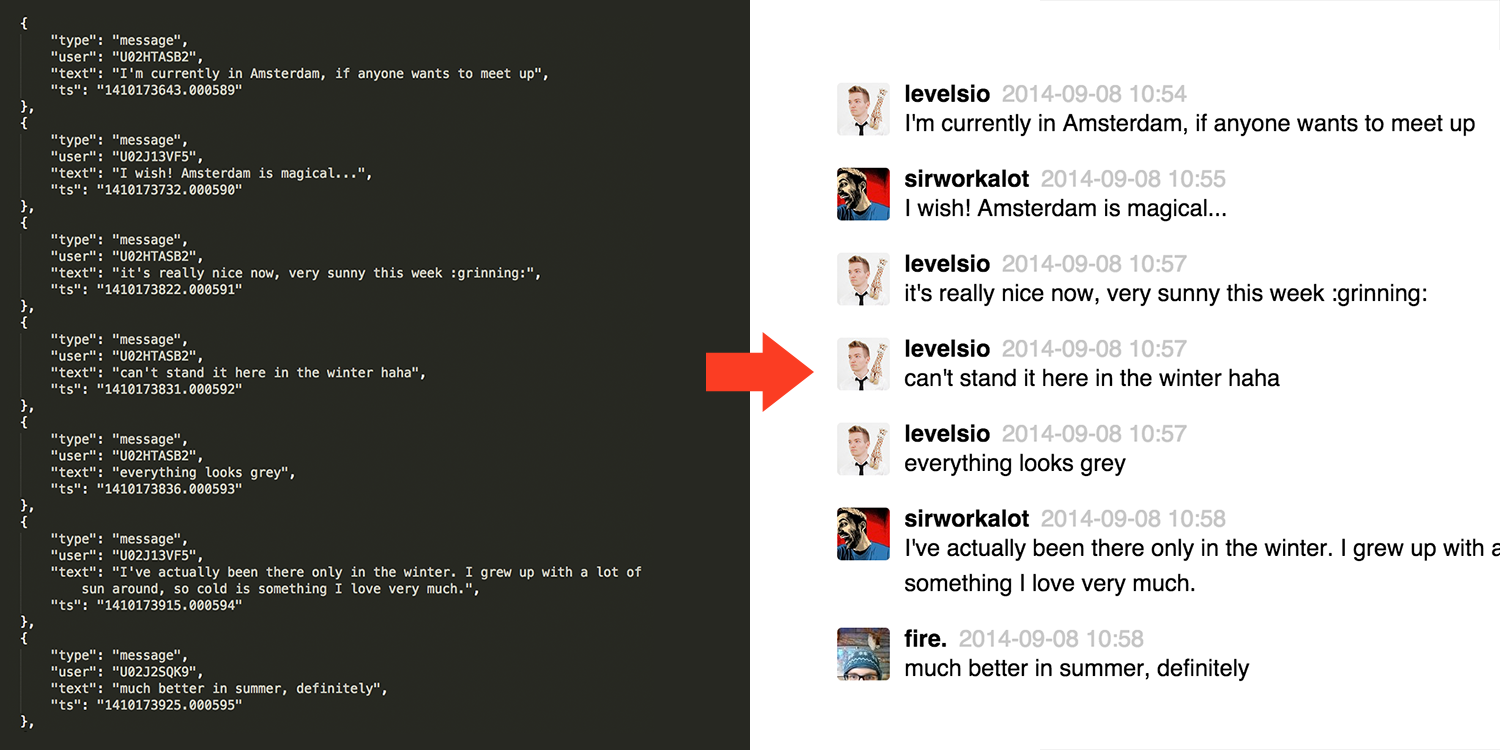
In the last few weeks I built a Slack community around digital nomads called #nomads. It now has over 1,250 members that talk to each other daily. Slack was originally meant as a team communication platform, but it functions surprisingly well at large-scale as a community platform. Slack doesn’t allow people to sign up directly though. The team’s admin needs to invite people manually. Today, I’ll show how I combined a few services to fix that and transform Slack into a community platform.
Accepting new sign ups
As Slack doesn’t support this out of the box, we need to make a way for people to sign up. Luckily Typeform is perfect for this. Users sign up by clicking Join Us on #nomads‘s main page:

That button links them to this form. Typeform saves all the sign ups in an spreadsheet you can download.
Inviting them to Slack
Until now every day I had to go sign in to Typeform, download all the sign ups and then go to Slack and copy-paste them into the invites box:
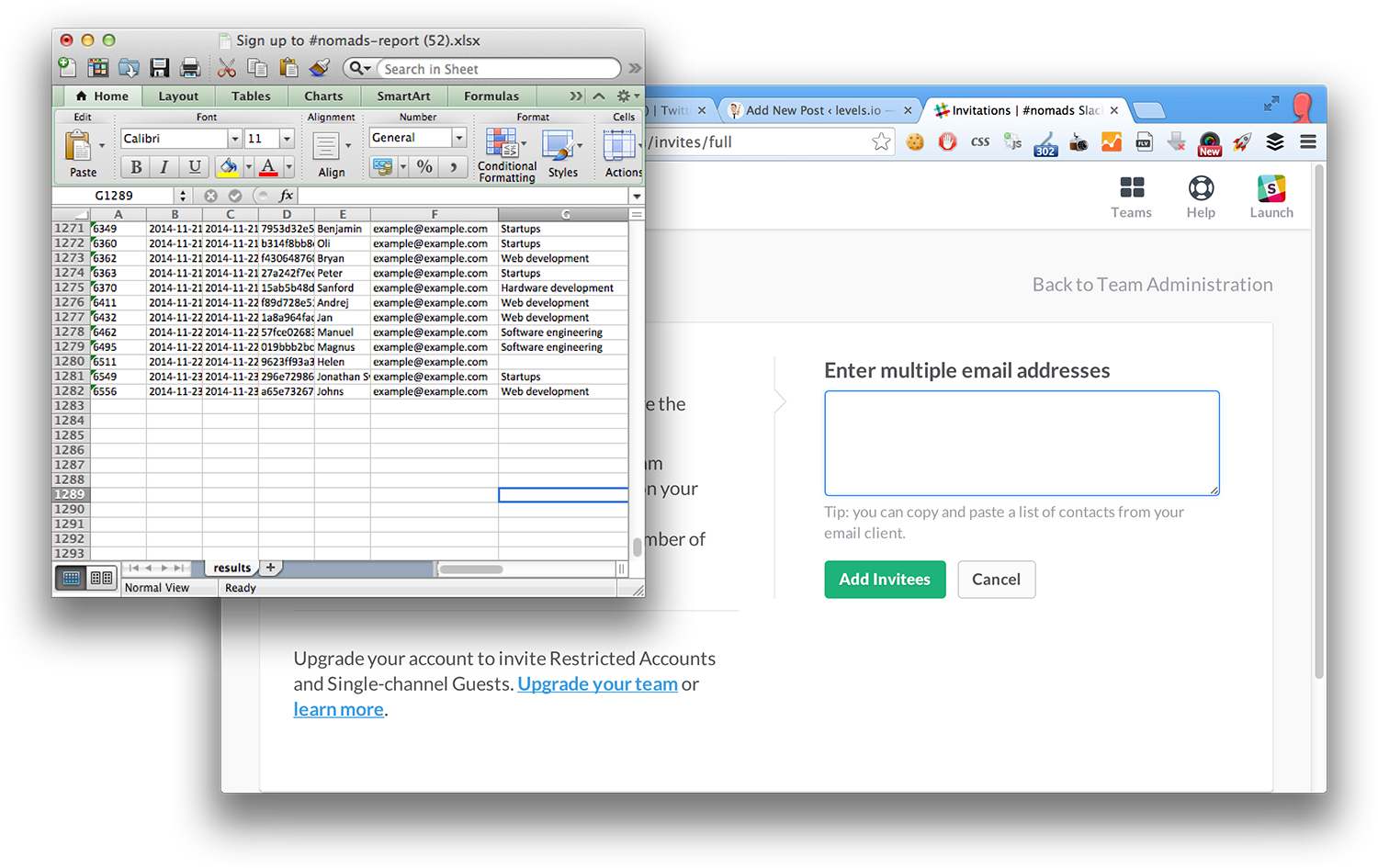
This becomes a hassle though and I started getting tweets of people that weren’t invited when I forgot to do it some days. I can’t be on the computer all day, guys/girls! 🙂
@nomadlist_ hey guys. I recently signed up for the slack channel. I haven't received a confirmation yet. My email is [email protected]
— Damir Kotorić (@damirkotoric) November 19, 2014
Let’s automate it
I would have used Zapier for this, and although it appears to have a Typeform & Slack integration, it’s too limited to be of any use here. So let’s do it ourselves with a simple script.
Getting new signups from Typeform
First we have to make an account on Typeform (yes, that’s a referral link). Typeform has a Data API which allows you to get the contents of your forms in JSON with this url:
api.typeform.com/v0/form/FormUID?key=ApiKey&completed=true&offset=0
The &completed=true means you only want results from the form that are actually 100% complete. The &offset is there since the API limits requests to 1,000 responses. So if you have over 1,000 emails signed up, it will only show the first 1,000. So we need to somehow paginate that later.
Your Typeform form ID is not the one you find in the URL when you edit it in the admin panel:
admin.typeform.com/form/197596/fields/
It is the ID you find when users open your form though:
nomadlist.typeform.com/to/afaUYO
So the API URL becomes:
api.typeform.com/v0/form/afaUYO?key=5de631f0dd3&completed=true';
Inviting new sign ups on Slack
This is a bit more difficult. Slack has a great API, but if you search for “invite”, you only find these two methods:
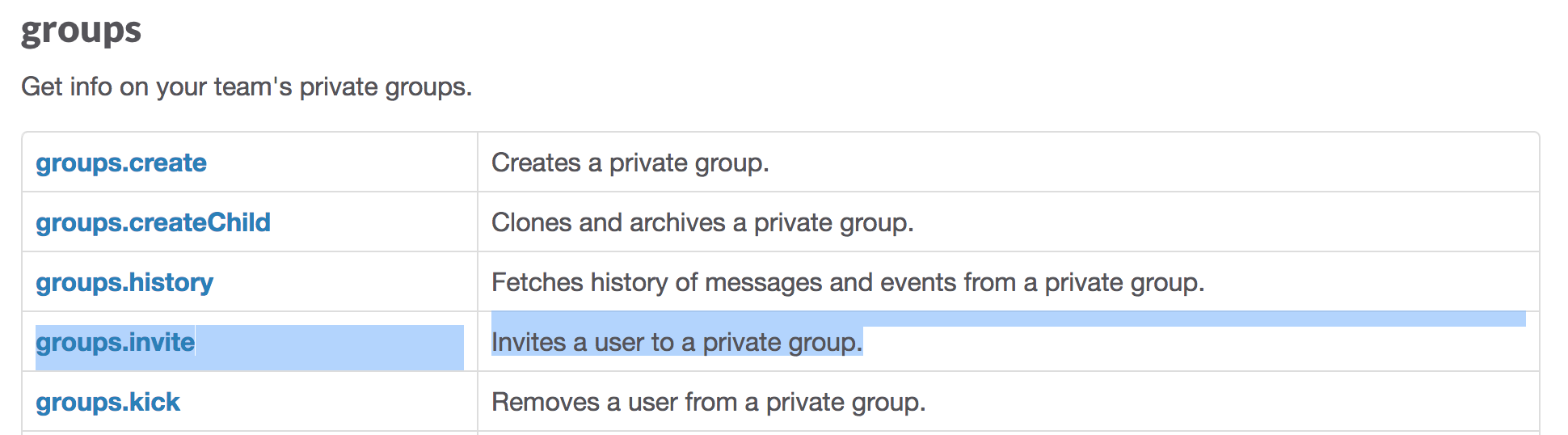
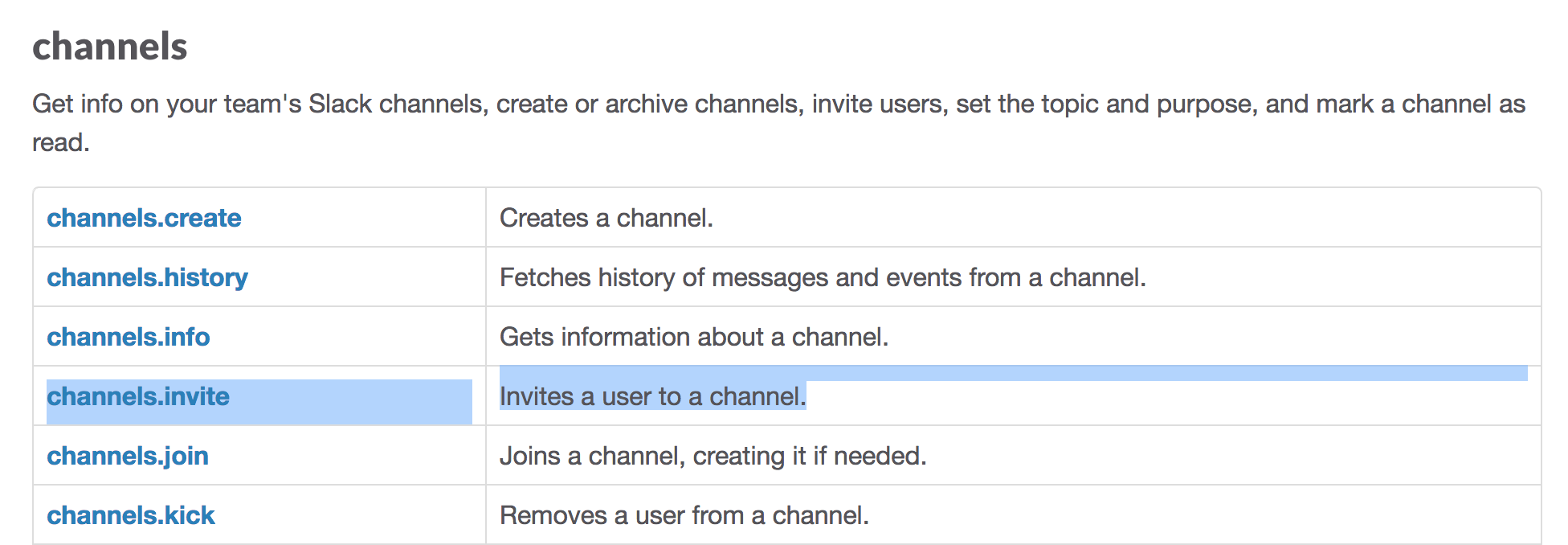
There’s channels.invite and groups.invite, but we need a team.invite method. It’s not there.
So it ends here? No. Let’s sniff the POST data when we invite people on Slack’s web interface:
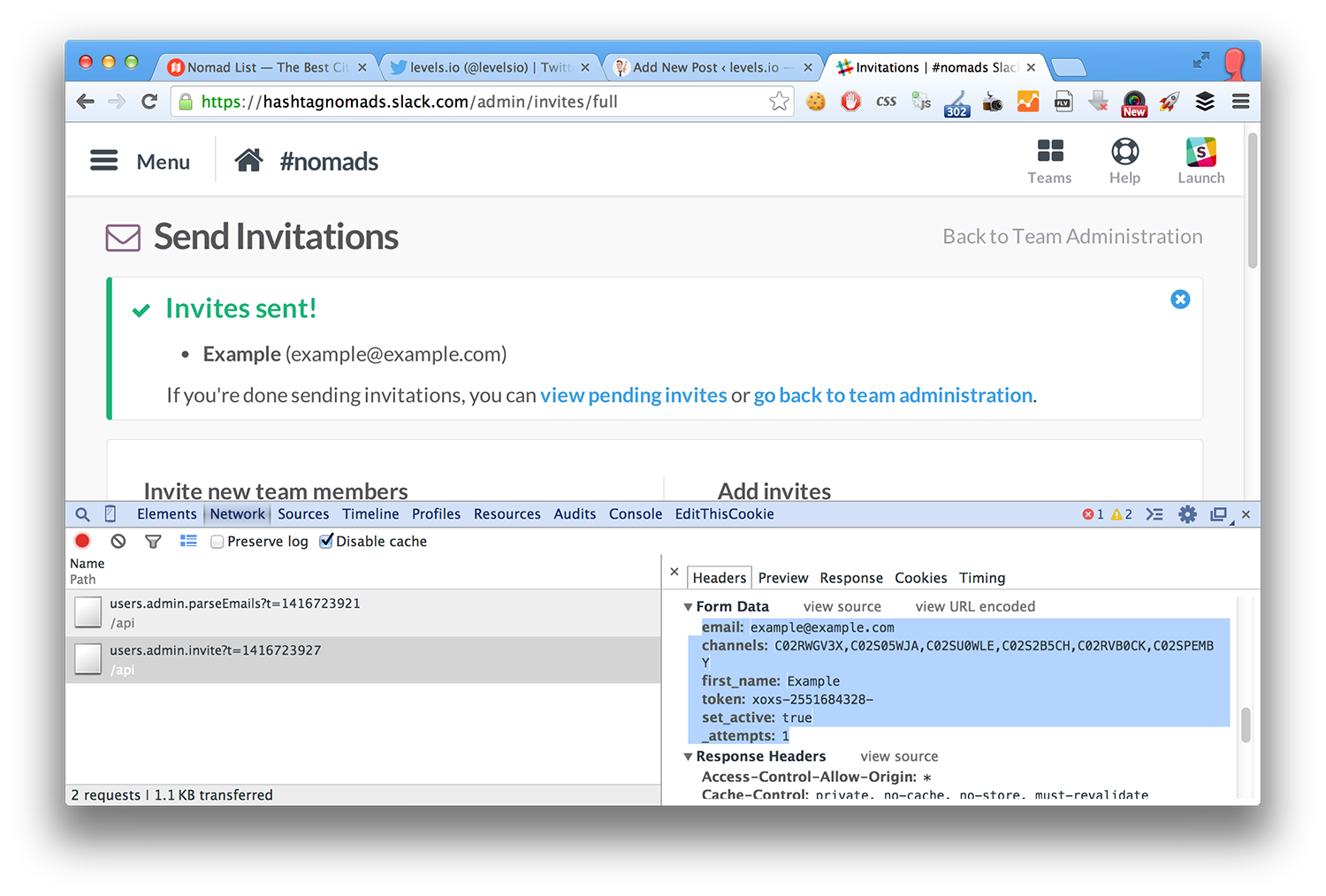
It posts data to this URL:
hashtagnomads.slack.com/api/users.admin.invite?t=1416723927
So users.admin.invite is an undocumented method. The ?t= is a simple epoch or unix time. The POST data is here:
email:[email protected] channels:C02RWGV3X,C02S05WJA,C02SU0WLE,C02S2B5CH,C02RVB0CK,C02SPEMBY first_name:Example token:xoxs-255168432 set_active:true _attempts:1
Most of this is obvious. How the hell was I going to get a token though? Since this wasn’t the API anymore, it was the web interface. Right?
I tried using the API token anyway. You can generate a token for your team on the Slack API page:
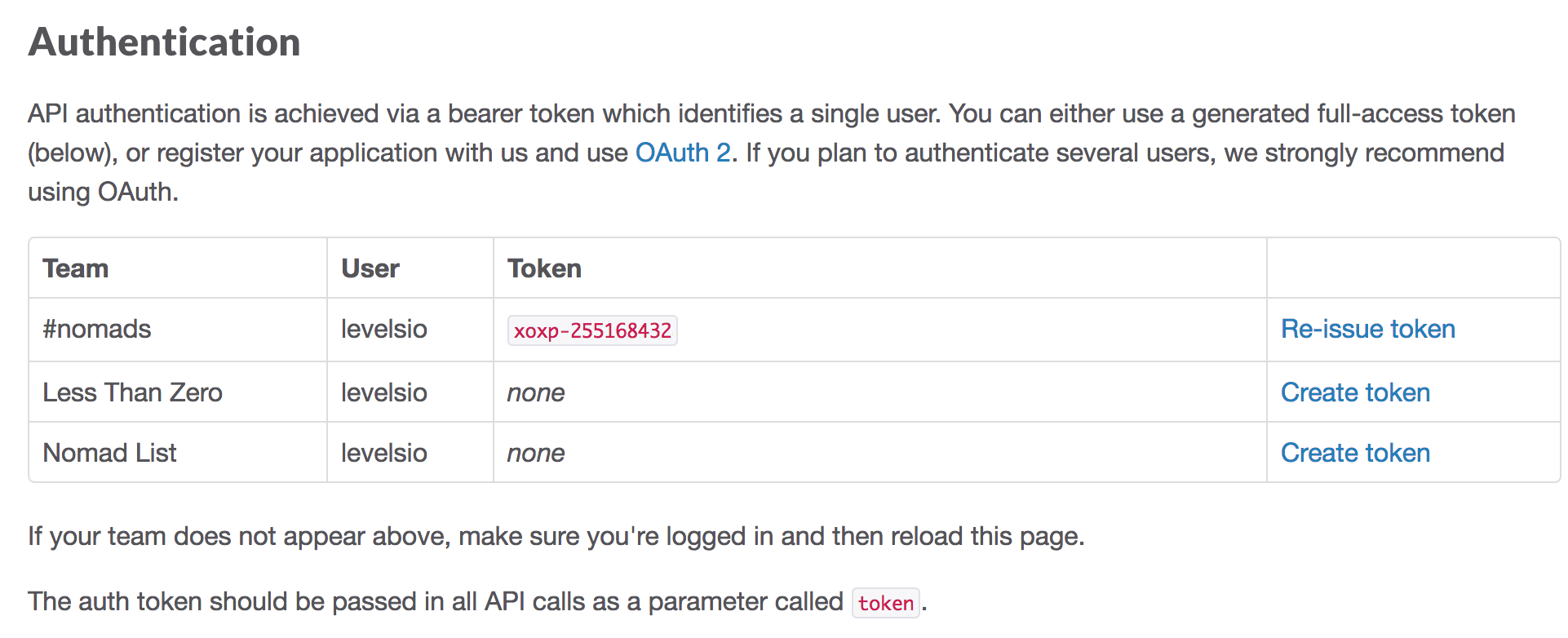
I posted it and it returned:
Yay! To my sheer surprise, this worked 🙂
Coding it up
Now let’s make into a script that runs regularly to keep inviting new sign ups. Sorry it’s PHP, I know. Life happens.
First specify the config vars (don’t worry I faked all the API keys and tokens in this post, you can stop tweeting me now haha!)
// date_default_timezone_set('America/Los_Angeles'); mb_internal_encoding("UTF-8"); $typeformApiKey='5de631f0dd3'; $typeformFormId='afaUYO'; $typeformEmailField='textfield_2133129'; $typeformNameField='textfield_2133430'; $previouslyInvitedEmailsFile=DIR.'/previouslyInvitedEmails.json'; // your slack team/host name $slackHostName='hashtagnomads'; // find this when checking the post at nomadslack.slack.com/admin/invites/full $slackAutoJoinChannels='C02RWGV3X,C02S05WJA,C02SU0WLE,C02S2B5CH,C02RVB0CK,C02SPEMBY'; // generate token at api.slack.com/ $slackAuthToken='xoxp-2551684328'; //
Your Typeform API key ($typeformApiKey) can be found here:
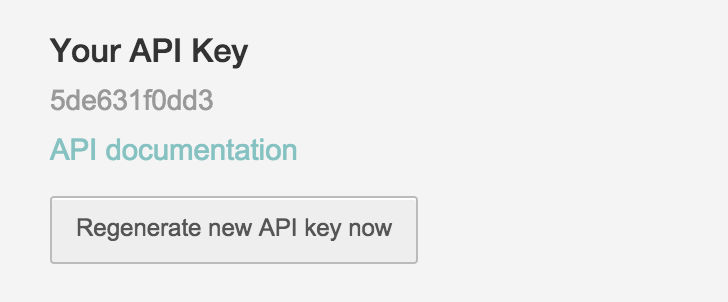
I mentioned above how to find your Typeform form ID ($typeformFormId).
The rest is kinda obvious, $slackAuthToken is your API token. $slackAutoJoinChannels you can sniff from the POST call when you invite users through the web interface. That’s the channels the ne user is invited into automatically. Remember if you remove a channel from Slack, but it will still be here, the invite will fail with “Error: channel_not_found”.
For the email and name field ID you need to do an API call first though:
The textfield_xxxxxxx value is the ID of the respective text field in your Typeform.
We use a JSON text file to keep track of who we have invited already, to avoid useless API calls to Slack. This filename is specified in $previouslyInvitedEmailsFile. The ?offset= for the Typeform API uses the $previouslyInvitedEmails count and lets you only requests the new sign ups.
We continue.
// if(@!file_get_contents($previouslyInvitedEmailsFile)) { $previouslyInvitedEmails=array(); } else { $previouslyInvitedEmails=json_decode(file_get_contents($previouslyInvitedEmailsFile),true); } $offset=count($previouslyInvitedEmails); $typeformApiUrl='api.typeform.com/v0/form/'.$typeformFormId.'?key='.$typeformApiKey.'&completed=true&offset='.$offset; if(!$typeformApiResponse=file_get_contents($typeformApiUrl)) { echo "Sorry, can't access API"; exit; } $typeformData=json_decode($typeformApiResponse,true); $usersToInvite=array(); foreach($typeformData['responses'] as $response) { $user['email']=$response['answers'][$typeformEmailField]; $user['name']=$response['answers'][$typeformNameField]; if(!in_array($user['email'],$previouslyInvitedEmails)) { array_push($usersToInvite,$user); } } // typeform emails>
We go through Typeform API’s response to see which emails we already invited before and which are new. We save the new ones in $userToInvite.
Then we hit Slack’s API:
// $slackInviteUrl=''.$slackHostName.'.slack.com/api/users.admin.invite?t='.time(); $i=1; foreach($usersToInvite as $user) { echo date('c').' - '.$i.' - '.""".$user['name']."" - Inviting to ".$slackHostName." Slack\n"; // $fields = array( 'email' => urlencode($user['email']), 'channels' => urlencode($slackAutoJoinChannels), 'first_name' => urlencode($user['name']), 'token' => $slackAuthToken, 'set_active' => urlencode('true'), '_attempts' => '1' ); // url-ify the data for the POST $fields_string=''; foreach($fields as $key=>$value) { $fields_string .= $key.'='.$value.'&'; } rtrim($fields_string, '&'); // open connection $ch = curl_init(); // set the url, number of POST vars, POST data curl_setopt($ch,CURLOPT_URL, $slackInviteUrl); curl_setopt($ch, CURLOPT_RETURNTRANSFER, true); curl_setopt($ch,CURLOPT_POST, count($fields)); curl_setopt($ch,CURLOPT_POSTFIELDS, $fields_string); // exec $replyRaw = curl_exec($ch); $reply=json_decode($replyRaw,true); if($reply['ok']==false) { echo date('c').' - '.$i.' - '.""".$user['name']."" - ".'Error: '.$reply['error']."\n"; } else { echo date('c').' - '.$i.' - '.""".$user['name']."" - ".'Invited successfully'."\n"; } // close connection curl_close($ch); array_push($previouslyInvitedEmails,$user['email']); // $i++; } // to slack>
The $fields array is an exact replica of the POST call Slack’s web interface made before. The echo calls are simply to log everything and show me what’s going on. If Slack’s API replies ok=true, an invite has been successful. After each invite, we add the email to $previouslyInvitedEmails which we then save:
file_put_contents($previouslyInvitedEmailsFile,json_encode($previouslyInvitedEmails));
I save this script as autoInviteFromTypeformToSlackWorker.php.
Run it
This is the output:
2014-11-23T08:14:19+00:00 - "Austin" - Inviting to hashtagnomads Slack 2014-11-23T08:14:21+00:00 - "Austin" - Invited to hashtagnomads
Scheduling the script
We want this script to run regularly to invite users as fast as possible.
So I set a cron job to run every 30 minutes (*/30). And save the output to a text file to log.
*/30 * * * * php -f /srv/http/hashtagnomads.com/workers/autoInviteFromTypeformToSlackWorker.php >> /srv/http/hashtagnomads.com/logs/autoInviteFromTypeformToSlackWorker.txt
Conclusion
That’s it! It seems obvious and it is. But this small thing transforms Slack from a team chat into a community platform. Slack is awesome and it’s already replacing email, hopefully now it can also replace horrible bulletin boards and help communities thrive, starting with #nomads
Oh and, sorry for the PHP. I promise, Node.JS, one day… ^o^
P.S. I'm on 𝕏 too if you'd like to follow more of my stories. And I wrote a book called MAKE about building startups without funding. See a list of my stories or contact me.
To read every new post (including blogs from 𝕏) in full in your inbox, join 14,199 subscribers
You can unsubscribe easily and I promise to never spam you